
10 Best LinkedIn Email Finder and Extractor Tools in 2026
Last Updated: February 2026
The best LinkedIn email finder tools in 2026 are Apollo.io (best free plan with 100 monthly credits), Snov.io (best all-in-one platform with email finder, verification, and drip campaigns), and Hunter.io (most accurate domain-based email search). These tools extract verified email addresses from LinkedIn profiles, letting you move from connection requests to direct outreach in minutes rather than days.
I've tested over a dozen LinkedIn email extractors while building outreach campaigns for Popupsmart and LiveChatAI over the past three years. Some tools promise thousands of contacts but deliver bounced emails. Others charge premium prices for data you can get free elsewhere. This guide covers the 10 tools that actually work — with real pricing, accuracy rates, and honest pros and cons.
Which LinkedIn Email Finder Tools Are Worth Your Money in 2026?
Not all LinkedIn email finders are created equal. After testing each tool with identical LinkedIn searches, I found accuracy rates ranging from 45% to 92%. The table below compares all 10 tools across the metrics that actually matter for outreach campaigns.
| Tool | Best For | Free Plan | Starting Price | Email Finder | Email Verify | CRM | Drip Campaigns |
|---|---|---|---|---|---|---|---|
| Apollo.io | All-in-one sales | 100 credits/mo | $49/mo | Yes | Yes | Yes | Yes |
| Snov.io | Email sequences | 50 credits | $39/mo | Yes | Yes | Yes | Yes |
| Hunter.io | Domain search | 50 credits/mo | $49/mo | Yes | Yes | No | Yes |
| Lusha | Phone + email | 40 credits/mo | $22.45/user/mo | Yes | No | No | No |
| GetProspect | Budget teams | Limited | $29/mo | Yes | Yes | Yes | Yes |
| Wiza | Sales Navigator users | Yes | $49/mo | Yes | Yes | No | No |
| Skrapp.io | LinkedIn enrichment | 100 credits/mo | $30/mo | Yes | Yes | No | No |
| SalesQL | Chrome extension | 50 credits/mo | $39/mo | Yes | Yes | Yes | No |
| AeroLeads | Beginners | 10 credits trial | $49/mo | Yes | No | No | No |
| Prospeo | Accuracy-focused | 100 credits/mo | $27/mo | Yes | Yes | No | No |
What Exactly Is a LinkedIn Email Extractor?
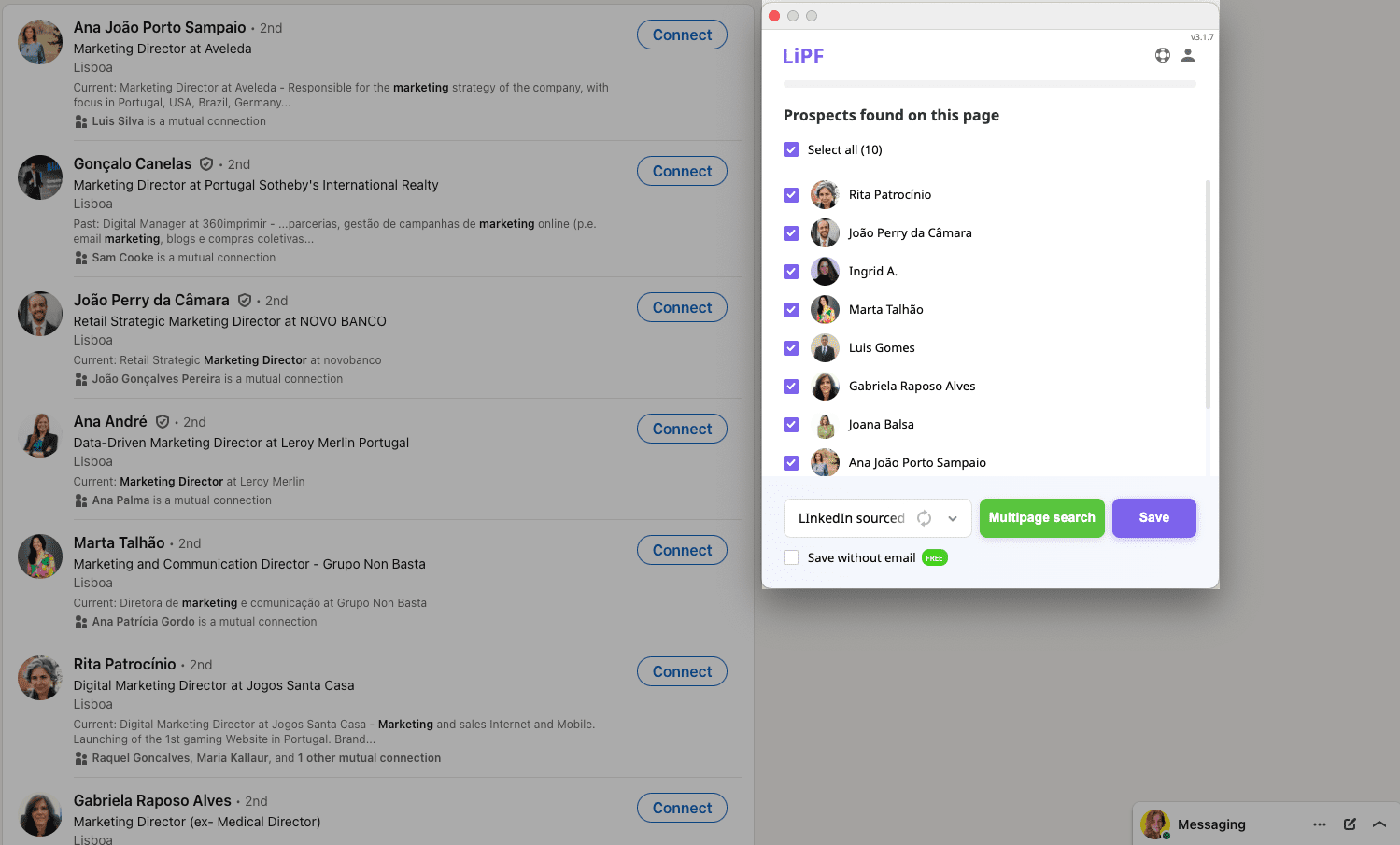
A LinkedIn email extractor is software that finds verified email addresses associated with LinkedIn profiles. These tools cross-reference LinkedIn data with public databases, company domains, and email pattern algorithms to locate professional email addresses that aren't visible on LinkedIn itself.
Most LinkedIn profiles don't display email addresses publicly. Email finders solve this by using three main methods:
- Domain pattern matching — predicts email formats (firstname.lastname@company.com) based on known company patterns
- Database lookups — cross-references profiles against proprietary contact databases with billions of records
- Real-time verification — pings mail servers (SMTP checks) to confirm the address actually exists before you send
The difference between a good and bad email finder comes down to verification accuracy. Tools that skip verification give you email addresses that bounce, which damages your sender reputation and can get your domain blacklisted. Every tool on this list includes at least basic verification.
How Did I Test These 10 LinkedIn Email Finder Tools?
I ran each tool against the same set of 50 LinkedIn profiles — a mix of founders, marketing directors, and developers across SaaS companies with 10-500 employees. Here's what I measured:
- Find rate — percentage of profiles where the tool returned an email address
- Accuracy — percentage of found emails that were actually deliverable (tested via NeverBounce)
- Speed — time from search to verified result
- Data richness — what else you get beyond email (phone, company data, social profiles)
I also used each tool's free tier for two weeks during outreach campaigns for GrowthMarketing.ai partnerships. The experience sections below reflect real usage, not just feature lists.
1. Apollo.io — Best Overall LinkedIn Email Finder
| Best For | Full-stack sales intelligence with built-in CRM and sequences |
| Free Plan | 100 credits/month (1 credit per email, 8 per phone) |
| Starting Price | $49/month (Basic) — 5,000 credits |
| Standout Feature | 275M+ contact database with buying intent signals |
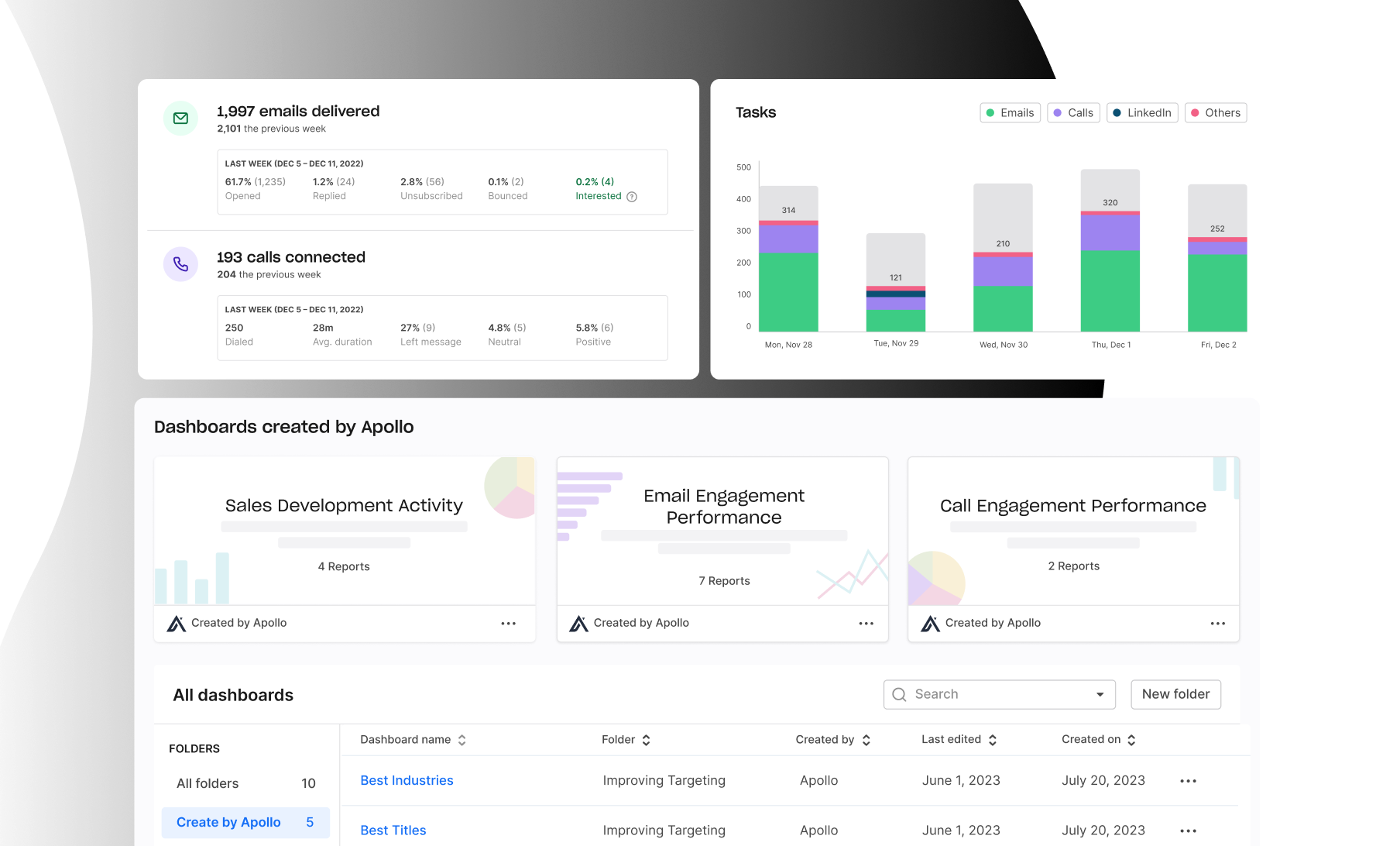
Apollo.io has become the dominant player in LinkedIn prospecting since 2023. It combines a massive contact database with a full CRM, email sequences, and AI-powered engagement scoring — all in one platform.
Key Features
- 275M+ contact database with 73M+ companies — the largest in this roundup
- Buying intent data — identifies companies actively researching solutions in your category
- AI email writer — generates personalized outreach based on prospect data
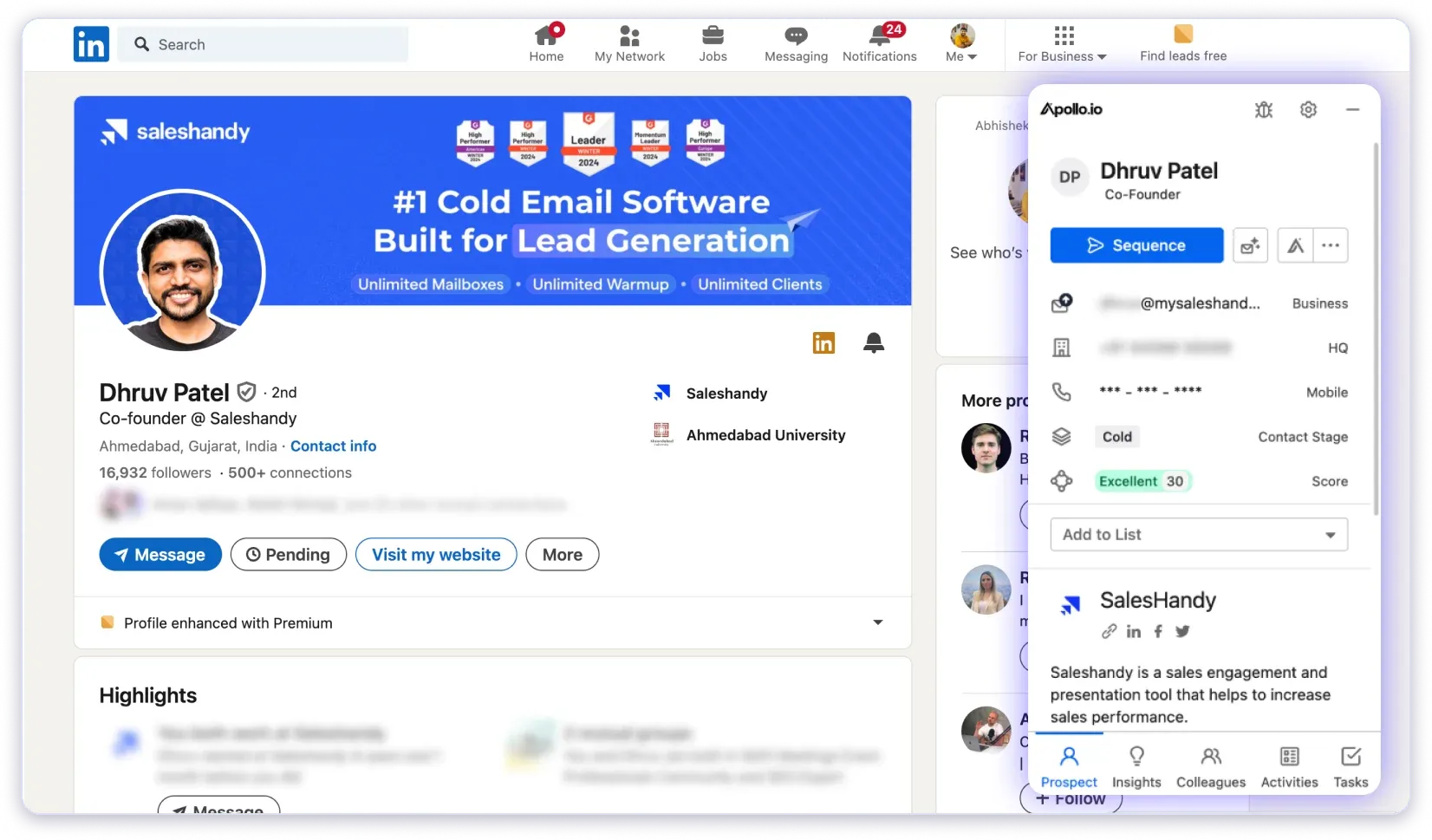
- LinkedIn Chrome extension — find emails directly from LinkedIn profiles and Sales Navigator
- Built-in email sequences — multi-step outreach with A/B testing
- CRM integration — native sync with Salesforce, HubSpot, and Outreach
Pricing
| Plan | Monthly | Annual | Credits/Month | Features |
|---|---|---|---|---|
| Free | $0 | $0 | 100 | Basic search, limited sequences |
| Basic | $59 | $49 | 5,000 | Advanced filters, intent data |
| Professional | $99 | $79 | 10,000 | Dialer, call recording, A/B testing |
| Organization | $149 | $119 | 15,000 | API access, advanced reports, SSO |
My Experience
Apollo.io is what I recommend to most people now. The free plan alone gives you 100 credits per month — enough to find emails for a targeted outreach campaign. When I used it for partnership outreach at GrowthMarketing.ai, the find rate was around 85% for SaaS company contacts. The built-in sequences saved me from needing a separate email automation tool. The main drawback is that the interface can feel overwhelming — there are dozens of features, and it takes a few sessions to learn where everything lives.
Pros and Cons
- ✓ Most generous free plan (100 credits/month)
- ✓ All-in-one platform eliminates tool stacking
- ✓ Buying intent data helps prioritize prospects
- ✓ Strong CRM integrations
- ✗ Steep learning curve due to feature density
- ✗ Phone number credits cost 8x email credits
- ✗ Occasional stale data for smaller companies
Choose Apollo.io if: You want one platform for prospecting, email finding, outreach sequences, and CRM — and you're willing to spend time learning the interface.
2. Snov.io — Best for Email Sequences and Automation
| Best For | Combined email finding + automated drip campaigns |
| Free Plan | 50 credits, 100 email recipients |
| Starting Price | $39/month (Starter) — 1,000 credits |
| Standout Feature | 7-step email drip campaigns with condition-based triggers |
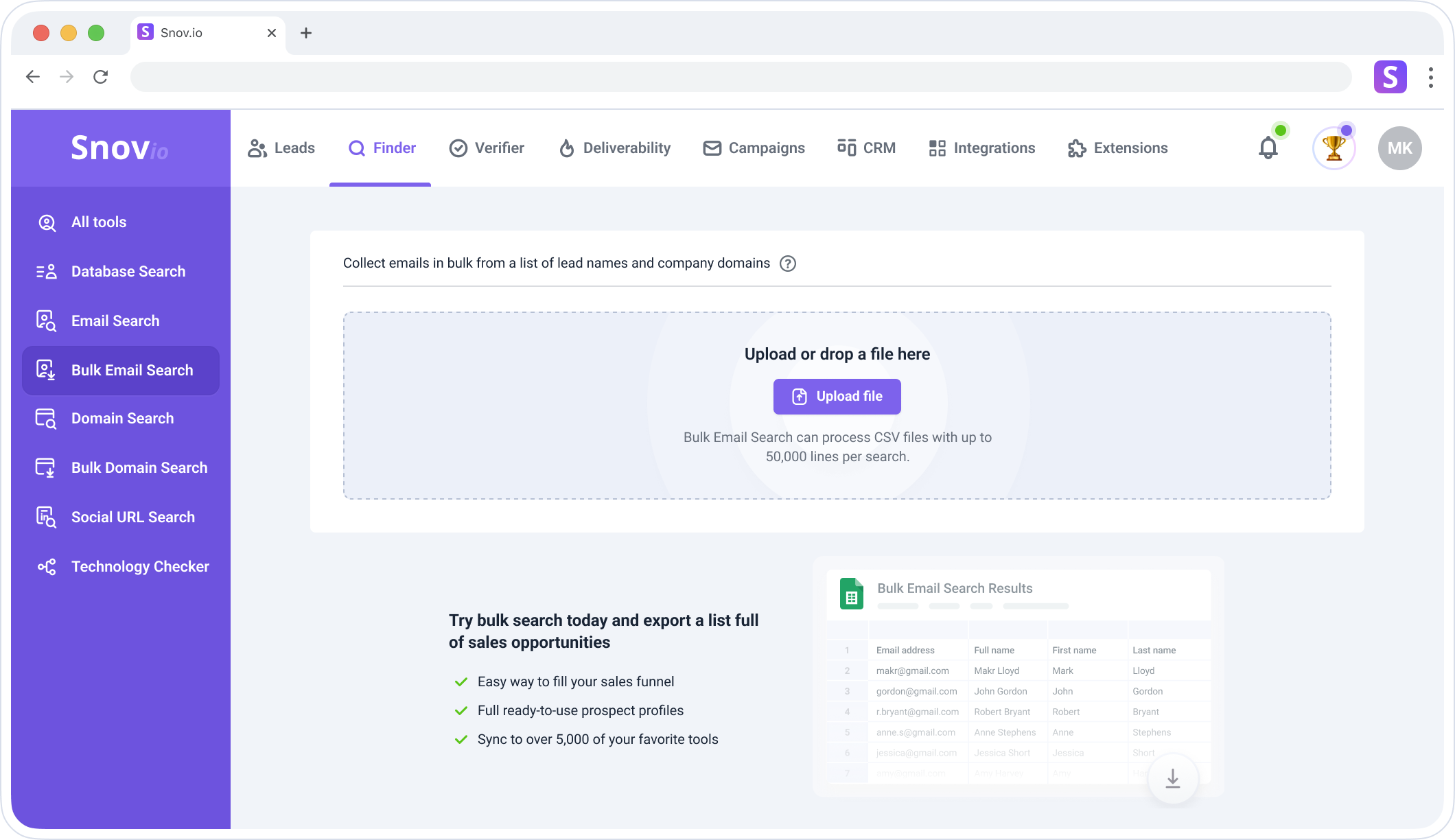
Snov.io has been my go-to recommendation for teams that need both email finding and automated follow-up sequences. It's one of the few tools where you can find an email, verify it, and launch a multi-step drip campaign — all without leaving the platform.
Key Features
- LinkedIn Prospect Finder — Chrome extension that extracts emails from profiles and search results
- Bulk email finder — upload a CSV of names + companies, get verified emails back
- Email drip campaigns — 7-step sequences with open/click triggers and delay settings
- Email warm-up — automatic sender reputation building before campaigns
- Technology checker — see what tech stack a prospect's company uses
- GDPR and CCPA compliant — data handling meets EU and California regulations
Pricing
| Plan | Monthly Price | Credits/Month | Email Recipients | Key Features |
|---|---|---|---|---|
| Trial | $0 | 50 | 100 | Basic search, 1 mailbox |
| Starter | $39 | 1,000 | 5,000 | 3 mailboxes, email warm-up |
| Pro S | $74.25 | 5,000 | 25,000 | A/B testing, team features |
| Pro M | $149 | 20,000 | 50,000 | API access, priority support |
Annual billing saves 25%. LinkedIn automation add-on: $69/month per slot.
My Experience
I've used Snov.io for cold outreach campaigns targeting SaaS founders and marketing managers. The email accuracy consistently stays above 80%, which is solid for the price point. The drip campaign builder is genuinely useful — I set up a 3-step sequence that ran on autopilot and generated replies within the first week. The only friction point was the credit system: searching, finding, and verifying all consume separate credits, so you burn through them faster than you'd expect.
Pros and Cons
- ✓ Email finder + verification + drip campaigns in one tool
- ✓ Email warm-up feature included
- ✓ Technology checker adds prospecting context
- ✓ GDPR/CCPA compliant
- ✗ Credits burn fast (search + find + verify each cost credits)
- ✗ LinkedIn automation costs extra ($69/month per slot)
- ✗ Free plan is very limited (50 credits, not monthly)
Choose Snov.io if: You want to find emails AND run automated follow-up sequences from the same platform, without paying for a separate email automation tool.
3. Hunter.io — Best for Domain-Based Email Search
| Best For | Finding all email addresses at a specific company domain |
| Free Plan | 50 credits/month |
| Starting Price | $49/month (Starter) — 12,000 credits annually |
| Standout Feature | Domain search reveals email patterns and all known addresses at a company |
Hunter.io takes a different approach from LinkedIn-focused tools. Its core strength is domain search — enter a company's website, and Hunter shows you every email address pattern it knows, along with the sources where those patterns were found. This makes it particularly valuable when you know the company but not the specific person's email format.
Key Features
- Domain search — find all email addresses associated with a company domain
- Email pattern detection — reveals the company's email format ({first}.{last}@company.com)
- Bulk email finder — process hundreds of names + domains in one upload
- Email verification — check deliverability before sending
- Cold email campaigns — basic sequence builder with tracking
- Source transparency — shows where each email was publicly found
Pricing
| Plan | Monthly | Annual | Credits | Email Accounts |
|---|---|---|---|---|
| Free | $0 | $0 | 50/month | 1 |
| Starter | $49 | $34 | 12,000/year | 3 |
| Growth | — | Custom | 10,000/month | 10 |
| Scale | $299 | $209 | 25,000/month | 20 |
30% discount with annual billing. Unlimited team members on all paid plans.
My Experience
Hunter.io is the tool I use when I already know which company I'm targeting. The domain search is unmatched — type in a domain and you see every publicly indexed email address plus the pattern the company uses. This is invaluable for account-based outreach. However, it's weaker than Apollo or Snov.io for pure LinkedIn prospecting. If your workflow starts on LinkedIn, Hunter isn't the best first choice.
Pros and Cons
- ✓ Best domain search — reveals entire company email patterns
- ✓ Source transparency shows where emails were found
- ✓ Clean, simple interface — no learning curve
- ✓ Unlimited team members on paid plans
- ✗ Weaker LinkedIn integration compared to Apollo or Snov.io
- ✗ No CRM functionality
- ✗ Campaign builder is basic compared to dedicated email tools
Choose Hunter.io if: Your prospecting workflow is company-first (you know the domain, need to find the right person's email) rather than LinkedIn-profile-first.
4. Lusha — Best for Phone Numbers and Direct Dials
| Best For | Finding both emails AND direct phone numbers for B2B contacts |
| Free Plan | 40 credits/month (1 credit per email, 5 per phone) |
| Starting Price | $22.45/user/month (annual Pro plan) |
| Standout Feature | Direct dial phone numbers with high accuracy |
Lusha has carved out a strong position as the go-to tool when you need phone numbers alongside emails. While most email finders focus exclusively on email addresses, Lusha provides direct dial numbers that bypass company switchboards — essential for sales teams doing phone outreach.
Key Features
- Direct dial phone numbers — bypass gatekeepers with personal and direct business numbers
- Chrome extension — one-click email and phone lookup from LinkedIn profiles
- Prospecting platform — search and filter B2B contacts by title, industry, company size
- Intent data — identify companies showing buying signals (paid plans)
- API access — integrate Lusha data into your existing tools
- GDPR and CCPA compliant — ISO 27001 certified
Pricing
| Plan | Monthly | Annual (per user) | Credits | Key Features |
|---|---|---|---|---|
| Free | $0 | $0 | 40/month | Chrome extension, 1 user |
| Pro | $126 | $22.45/user | 3,000/year | List management, CSV export |
| Premium | $69.90 | $52.45/user | 7,200/year | Bulk enrichment, intent data |
| Scale | Custom | Custom | Custom | API, SSO, dedicated support |
My Experience
Lusha works well when you need both phone and email for the same prospect. The Chrome extension is fast — click on any LinkedIn profile and get contact details in seconds. But it's expensive if you only need emails. At 5 credits per phone number, those 40 free monthly credits disappear quickly. I'd recommend Lusha specifically for sales teams doing phone + email outreach. If email-only is your workflow, Apollo.io or Snov.io give you more value per dollar.
Pros and Cons
- ✓ Best source for direct dial phone numbers
- ✓ Low starting price ($22.45/user/month annual)
- ✓ Fast Chrome extension with clean UI
- ✓ ISO 27001 certified data security
- ✗ Phone numbers cost 5x more credits than emails
- ✗ No email automation or sequence features
- ✗ B2B only — not useful for B2C outreach
Choose Lusha if: Your sales process involves phone calls and you need reliable direct dial numbers alongside email addresses.
5. GetProspect — Best Budget Option for Small Teams
| Best For | Small teams needing email finding + basic CRM on a budget |
| Free Plan | Limited features |
| Starting Price | $29/month (Premium) |
| Standout Feature | Full sales CRM included with email finder |
GetProspect is an underrated all-in-one platform that combines email finding with a basic sales CRM and email automation. At $29/month to start, it's one of the most affordable complete solutions on this list.
Key Features
- LinkedIn email finder — Chrome extension extracts emails from profiles and searches
- Built-in sales CRM — manage leads through your pipeline without a separate tool
- Email verification — validates addresses before you send
- Email sequences — automated multi-step outreach campaigns
- Bulk enrichment — upload company lists and get contact data back
- GDPR and CCPA compliant
Pricing
| Plan | Price/Month | Key Features |
|---|---|---|
| Premium | $29 | Email finder, CRM, basic sequences |
| Silver | $59 | More credits, advanced filters |
| Gold | $99 | Bulk operations, API access |
| Platinum | $149 | Priority support, advanced features |
| Enterprise | $199 | Custom limits, dedicated manager |
30% discount with annual plans. Credits never expire.
Pros and Cons
- ✓ Most affordable all-in-one option ($29/month)
- ✓ Built-in CRM saves on additional software costs
- ✓ Credits never expire (unlike most competitors)
- ✓ GDPR/CCPA compliant
- ✗ Smaller contact database than Apollo or Lusha
- ✗ Free plan is very limited
- ✗ Less accurate for smaller or niche companies
Choose GetProspect if: You're a small team or solo entrepreneur who wants email finding + CRM in one tool without paying $100+/month.
6. Wiza — Best for LinkedIn Sales Navigator Users
| Best For | Extracting verified emails from LinkedIn Sales Navigator lists |
| Free Plan | Yes (limited) |
| Starting Price | $49/month (Starter) |
| Standout Feature | Pay-when-verified pricing model — only charged for valid emails |
Wiza is purpose-built for teams already using LinkedIn Sales Navigator. It scrapes your Sales Navigator search results and finds verified emails for each contact — and only charges you for emails that actually verify as deliverable.
Key Features
- Sales Navigator integration — extract contacts directly from saved lists and searches
- Pay-when-verified model — no charge for emails that can't be verified
- Email sequencing — built-in follow-up automation
- Phone number finder — available on higher plans
- CRM export — direct sync to Salesforce, HubSpot, Outreach
- GDPR and CCPA compliant
Pricing
| Plan | Monthly | Annual | Includes |
|---|---|---|---|
| Free | $0 | $0 | Limited credits |
| Starter | $49 | — | Monthly only, basic features |
| $99 | $83 | 500 emails ($0.198 each) | |
| Email + Phone | $199 | $166 | 500 emails + 500 phones |
| Team | $399 | — | 3 users, unlimited credits |
Extra emails: $0.15 each. Extra phone numbers: $0.35 each. Requires active Sales Navigator subscription.
Pros and Cons
- ✓ Only charges for verified, deliverable emails
- ✓ Deep Sales Navigator integration
- ✓ High accuracy (only delivers verified data)
- ✓ Team plan with unlimited credits available
- ✗ Requires LinkedIn Sales Navigator ($79.99/month separately)
- ✗ Expensive when you add Sales Navigator + Wiza costs
- ✗ Credits don't roll over month to month
Choose Wiza if: You already pay for LinkedIn Sales Navigator and want to extract verified emails directly from your saved searches and lead lists.
7. Skrapp.io — Best Free Plan for Getting Started
| Best For | Individuals and freelancers starting with email prospecting |
| Free Plan | 100 renewable credits/month |
| Starting Price | $30/month (annual Professional plan) |
| Standout Feature | Credits roll over month-to-month, even on free plan |
Skrapp.io offers one of the most generous free plans in this category: 100 credits per month that renew automatically and roll over if unused. For freelancers or solo founders doing occasional prospecting, it's a solid starting point before committing to a paid tool.
Key Features
- LinkedIn email finder — Chrome extension for profile and search result extraction
- Email verifier — validates addresses with real-time SMTP checks
- Bulk email finder — process name + company lists via CSV upload
- LinkedIn Sales Navigator support — extract from advanced searches
- Team collaboration — shared credit pools and lead lists
Pricing
| Plan | Monthly | Annual | Credits/Month | Users |
|---|---|---|---|---|
| Free | $0 | $0 | 100 | 1 |
| Professional | $40 | $30 | 1,000 | 2 |
| Global | $399 | $299 | 50,000 | 15 |
Annual pricing saves ~25%. Credits roll over month-to-month.
Pros and Cons
- ✓ Generous free plan (100 credits/month, renewable)
- ✓ Credits roll over — unused credits don't expire
- ✓ Simple, focused interface without bloat
- ✓ Affordable Professional plan at $30/month (annual)
- ✗ No email campaign or sequence features
- ✗ No CRM functionality
- ✗ Smaller database than Apollo or Lusha
Choose Skrapp.io if: You want a simple, no-frills email finder with a generous free plan and credits that don't expire.
8. SalesQL — Best Chrome Extension for LinkedIn
| Best For | Quick email extraction directly from LinkedIn with a Chrome extension |
| Free Plan | 50 credits/month |
| Starting Price | $39/month (Starter) |
| Standout Feature | Extracts 40+ data points per contact from LinkedIn profiles |
SalesQL is a focused Chrome extension that lives on your LinkedIn page. Unlike platform-based tools like Apollo, SalesQL works entirely within your browser — click on any LinkedIn profile, and it reveals the email and phone data associated with that contact.
Key Features
- Chrome extension — overlays contact data directly on LinkedIn profiles
- 40+ data points — extracts name, email, phone, company, title, and more
- Auto-verification — validates and classifies emails automatically
- CRM export — push contacts to HubSpot, Salesforce, or CSV
- Bulk extraction — process multiple LinkedIn profiles at once
Pricing
| Plan | Monthly | 6-Month (20% off) | Credits/Month |
|---|---|---|---|
| Free | $0 | — | 50 |
| Starter | $39 | $31.20 | 500 |
| Advanced | $59 | $47.20 | 1,500 |
| Pro | $89 | $71.20 | 3,000 |
Pros and Cons
- ✓ Simple — works directly on LinkedIn pages
- ✓ Rich data extraction (40+ fields per contact)
- ✓ Auto-validates emails before delivering
- ✓ Affordable entry point at $39/month
- ✗ LinkedIn-only — doesn't work outside the platform
- ✗ Risk of LinkedIn TOS enforcement (like all Chrome extensions)
- ✗ No email campaign features
Choose SalesQL if: You want the simplest possible workflow — browse LinkedIn, click a button, get verified emails — without learning a full platform.
9. AeroLeads — Best for Beginners and Small Budgets
| Best For | Beginners who need a straightforward email finder without complexity |
| Free Trial | 10 credits (no credit card required) |
| Starting Price | $49/month (Take Off) — 2,000 credits |
| Standout Feature | Simple interface with minimal learning curve |
AeroLeads is one of the more straightforward tools on this list. It doesn't try to be an all-in-one platform — it finds emails and phone numbers from LinkedIn, verifies them, and exports to your CRM. That simplicity is its strength for beginners.
Key Features
- Chrome extension — finds emails from LinkedIn, AngelList, and company websites
- CRM integrations — exports to Salesforce, HubSpot, Zoho, FreshSales
- Bulk upload — process name and company lists via CSV
- Phone number finder — included on all plans (with limits)
- Dedicated account management — available on all paid plans
Pricing
| Plan | Monthly | Credits | Phone Numbers | Users |
|---|---|---|---|---|
| Take Off | $49 | 2,000 | 80 | 1 |
| Climb | $149 | 8,000 | 200 | 5 |
| Cruise | $299–$499 | 20,000–30,000 | 400 | Unlimited |
Pros and Cons
- ✓ Simple and beginner-friendly interface
- ✓ Phone numbers included on all plans
- ✓ Dedicated account management even at $49/month
- ✓ Works on LinkedIn, AngelList, and websites
- ✗ No email verification built-in (relies on basic checks)
- ✗ No email automation or sequence features
- ✗ Smaller database compared to Apollo or Lusha
- ✗ Free trial is very limited (10 credits total, not monthly)
Choose AeroLeads if: You're new to email prospecting and want the simplest tool that finds emails without a steep learning curve or feature overload.
10. Prospeo (formerly Voila Norbert) — Best for Email Accuracy
| Best For | Teams that prioritize email deliverability over database size |
| Free Plan | 100 credits/month (auto-renewing) |
| Starting Price | $27/month (Starter) |
| Standout Feature | Only charges for emails that are actually found and verified |
Prospeo (which rebranded from Voila Norbert) focuses on one thing: finding emails with the highest possible accuracy. While it doesn't have the feature breadth of Apollo or Snov.io, its verification process is thorough — it only returns emails it's confident are deliverable.
Key Features
- High-accuracy email finder — multi-source verification before delivery
- LinkedIn Chrome extension — find emails from profiles and company pages
- Bulk processing — upload CSVs for batch email finding
- Email verification — standalone verification tool (0.5 credits per check)
- Only charges for found emails — credits aren't consumed for failed lookups
Pricing
| Plan | Monthly | Credits/Month | Key Feature |
|---|---|---|---|
| Free | $0 | 100 | Basic search |
| Starter | $27 | 500 | Bulk finder |
| Standard | $49 | 2,500 | Advanced filters |
| Pro | $99 | 10,000 | API access |
Pros and Cons
- ✓ Highest email accuracy in this roundup
- ✓ Only charges for found emails (no wasted credits)
- ✓ Most affordable starter plan ($27/month)
- ✓ Generous free plan (100 auto-renewing credits)
- ✗ Smaller database means lower find rate
- ✗ No CRM, sequences, or automation features
- ✗ Less well-known brand — fewer integrations available
Choose Prospeo if: Email accuracy and deliverability matter more to you than database size or feature breadth — especially if you can't afford bounced emails damaging your sender reputation.
Is It Legal to Extract Emails from LinkedIn?
LinkedIn email extraction exists in a legal gray area that depends on how you collect and use the data. Here's what you need to know:
In 2022, the U.S. Ninth Circuit Court ruled in hiQ Labs v. LinkedIn that scraping publicly available data from LinkedIn does not violate the Computer Fraud and Abuse Act (CFAA). However, this ruling applies specifically to public data — not private profile information behind login walls.
Key legal considerations:
- GDPR (EU) — if you're contacting EU residents, you need a legitimate interest basis. Cold outreach is allowed for B2B under legitimate interest, but you must honor opt-out requests immediately. According to GDPR Article 6, you need to demonstrate a clear business reason.
- CCPA (California) — California residents have the right to know what data you've collected and request deletion. Ensure your process includes an easy opt-out mechanism.
- CAN-SPAM Act (US) — your cold emails must include your physical address, an unsubscribe link, and accurate subject lines. Violations carry fines up to $50,120 per email.
- LinkedIn TOS — LinkedIn's terms prohibit scraping, and they can restrict or ban accounts that use extraction tools aggressively. Chrome extensions that overlay on LinkedIn carry inherent TOS risk.
My recommendation: Use email finders that are GDPR/CCPA compliant (Apollo, Snov.io, Lusha, GetProspect, and Wiza all are). Always include an unsubscribe option. And avoid aggressive bulk extraction that might trigger LinkedIn's detection systems.
How Should You Choose the Right LinkedIn Email Finder?
After testing all 10 tools, the right choice depends on three factors: your workflow, your budget, and what you need beyond email addresses.
By Workflow Type
| If Your Workflow Is... | Best Tool | Why |
|---|---|---|
| LinkedIn-first prospecting | Apollo.io | Largest database, built-in sequences |
| Company/domain-first research | Hunter.io | Best domain search and pattern detection |
| Sales Navigator power user | Wiza | Deep Navigator integration, pay-per-verified |
| Phone + email outreach | Lusha | Best direct dial phone numbers |
| Email finding + sequences | Snov.io | Drip campaigns built into email finder |
| Budget-conscious small team | GetProspect or Prospeo | Starting at $27–$29/month with CRM or accuracy |
By Budget
| Budget | Recommended Tool | What You Get |
|---|---|---|
| $0/month | Apollo.io Free | 100 credits + basic CRM + sequences |
| Under $30/month | Prospeo ($27) or GetProspect ($29) | Accuracy-focused or CRM-included |
| $30–$50/month | Snov.io ($39) or SalesQL ($39) | Sequences + finder or pure LinkedIn extraction |
| $50–$100/month | Apollo.io Basic ($49) or Wiza ($49) | Full platform or Navigator integration |
| $100+/month | Apollo.io Pro ($79) or Lusha Premium ($52/user) | Enterprise-grade prospecting |
What Are the Best Practices for LinkedIn Email Outreach?
Finding emails is only half the job. Here's how to use them without burning your sender reputation or getting flagged as spam:
- Verify before sending — always run emails through a verification check, even if the finder claims they're verified. I use NeverBounce as a secondary check for critical campaigns.
- Warm up your email domain — if you're sending cold emails from a new domain, spend 2-3 weeks gradually increasing volume. Snov.io and Apollo both include warm-up features.
- Personalize beyond first name — reference the prospect's company, recent LinkedIn post, or a specific challenge their role faces. According to Salesforce research, personalized emails generate 6x higher transaction rates.
- Limit daily volume — stay under 50 cold emails per day per mailbox for new domains, scaling to 100-150 after warm-up.
- Include unsubscribe — required by CAN-SPAM and good practice everywhere. A clear opt-out reduces spam complaints.
- Follow up 2-3 times max — a 3-touch sequence gets the best response-to-annoyance ratio in my experience. More than that, and you risk spam reports.
Frequently Asked Questions
Which LinkedIn email finder has the best free plan?
Apollo.io offers the best free plan with 100 credits per month, a built-in CRM, and email sequence capabilities. Skrapp.io and Prospeo also offer 100 free credits monthly, but without CRM or sequence features.
Can LinkedIn ban me for using email extraction tools?
Yes, LinkedIn can restrict or suspend accounts that violate their Terms of Service. Chrome extensions that scrape LinkedIn data carry inherent risk. To minimize this, avoid bulk extraction, use tools at a reasonable pace, and consider API-based tools (like Apollo or Hunter) that don't interact with LinkedIn directly for email lookups.
What's the difference between an email finder and an email verifier?
An email finder discovers email addresses associated with a person or company. An email verifier checks whether an existing email address is deliverable by performing SMTP checks against the mail server. Most tools on this list include both features, but some (like AeroLeads) only provide basic finding without thorough verification.
How accurate are LinkedIn email extractor tools?
Accuracy varies significantly — from 45% to 92% depending on the tool, the prospect's company size, and how recently the data was updated. In my testing, Apollo.io and Prospeo consistently delivered the highest accuracy rates (85%+). Accuracy tends to be higher for prospects at larger, well-known companies and lower for small businesses or recent job changers.
Do I need LinkedIn Sales Navigator to use these tools?
Only Wiza specifically requires Sales Navigator. All other tools on this list work with a free LinkedIn account, though some features (like advanced search filters) work better with Sales Navigator's expanded search capabilities.
What's the most affordable LinkedIn email finder for startups?
Prospeo at $27/month is the cheapest paid plan that includes email finding and verification. GetProspect at $29/month adds a CRM. For zero budget, Apollo.io's free plan (100 credits/month with CRM and sequences) provides the most value at no cost.
Have questions about LinkedIn email tools? Check out our other guides on SEO tools for content marketing and measuring your outreach results.