
Best SEO Tools for Ghost CMS in 2026 (Free & Paid)
Last Updated: February 2026
The best SEO tools for Ghost CMS are Google Search Console (free, essential for every Ghost blog), Ahrefs (best for backlink analysis and keyword research starting at $29/month), and Semrush (best all-in-one SEO platform at $139.95/month). Ghost already includes built-in SEO features like automatic sitemaps, structured data, and meta tag controls — so you don't need a plugin-heavy setup like WordPress. The tools below fill Ghost's gaps in keyword research, rank tracking, and competitive analysis.
I've been running seocontentai.com on Ghost since 2022, and after testing dozens of SEO tools across my projects at Popupsmart, LiveChatAI, and GrowthMarketing.ai, these are the ones that actually move the needle for Ghost blogs.
What SEO Features Does Ghost CMS Have Built-In?
Before spending money on external tools, know what Ghost gives you for free. Ghost 5.x has surprisingly strong native SEO — stronger than most people realize.
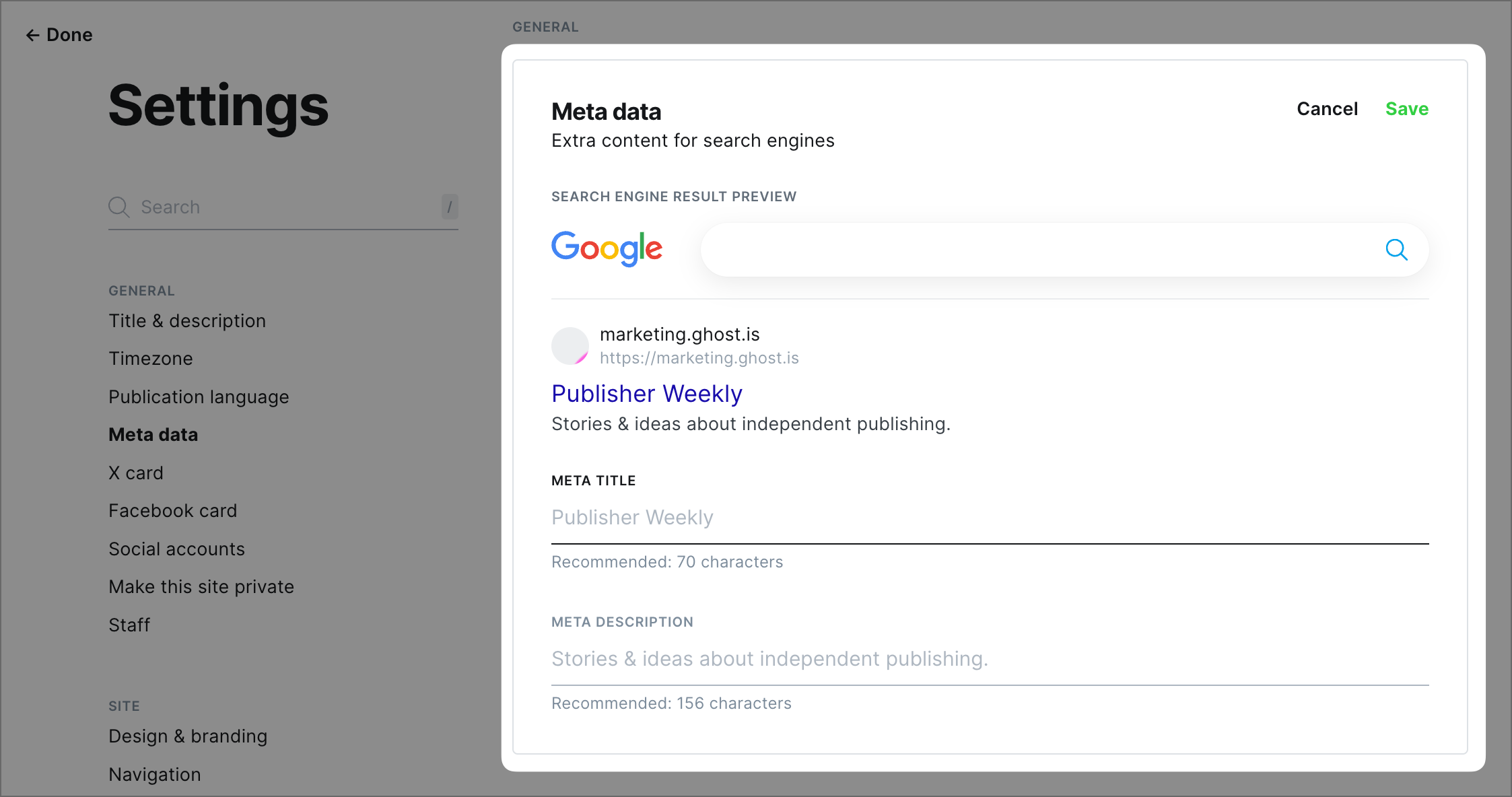
Ghost's built-in SEO features include:
- Automatic XML sitemaps — generated at
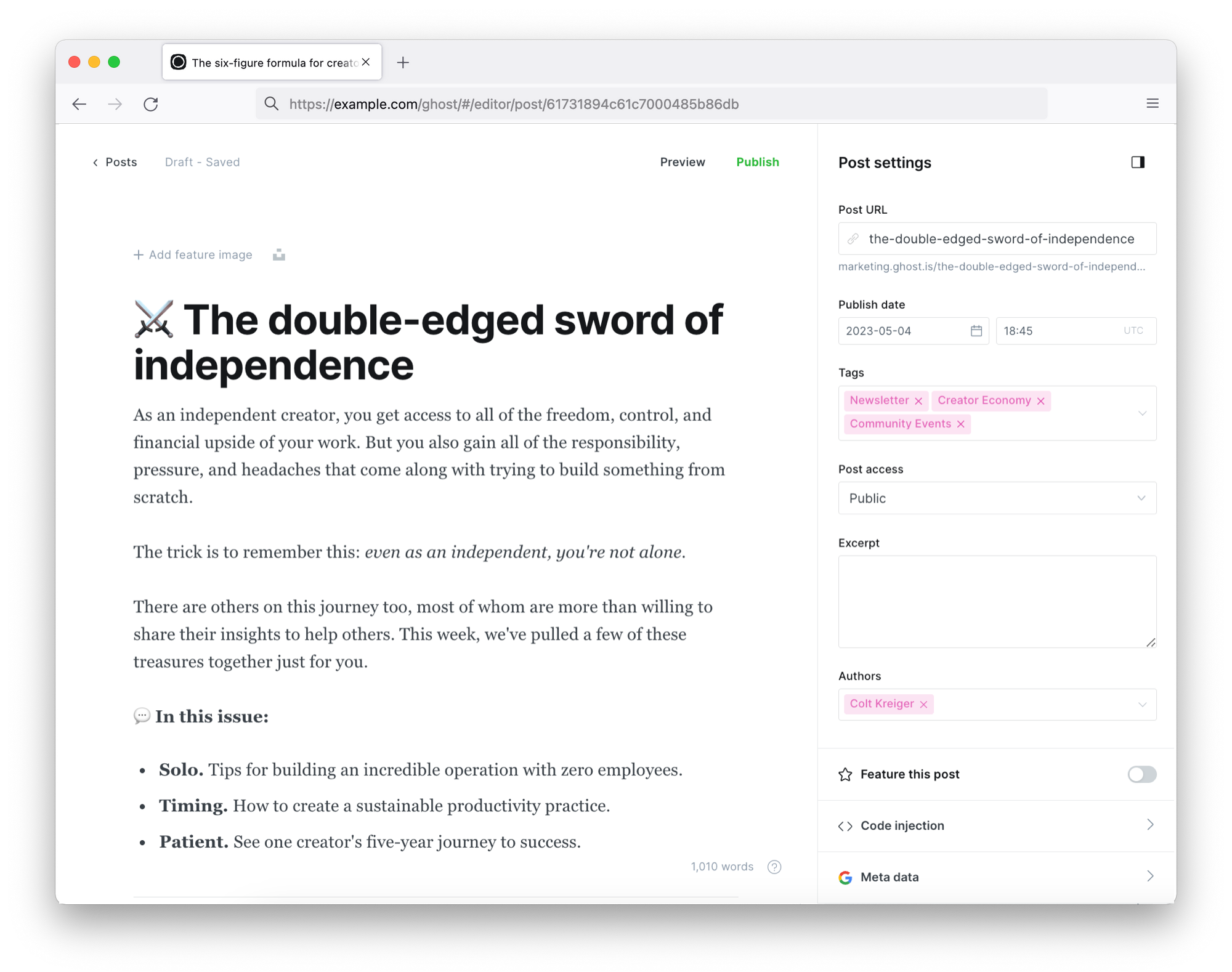
/sitemap.xml, no plugin needed - Custom meta titles and descriptions — per post and per page in the post settings panel
- Canonical URL support — prevents duplicate content issues
- JSON-LD structured data — automatic schema markup via
{{ghost_head}} - Open Graph and Twitter Cards — social sharing previews built in
- Clean URL structure — customizable slugs with no trailing cruft
- 301 redirects — manage redirects via
redirects.json - Fast Core Web Vitals — Ghost consistently scores 90+ on Lighthouse performance tests
- AMP support — optional Accelerated Mobile Pages
- Robots.txt control — customize crawler instructions
What Ghost does not include: keyword research, rank tracking, backlink analysis, competitor intelligence, or content optimization scoring. That's where external tools come in.
What Are the Best Free SEO Tools for Ghost?
You don't need to spend anything to get solid SEO data for your Ghost blog. These three free tools cover the fundamentals.
Google Search Console
| Detail | Info |
|---|---|
| Best For | Search performance monitoring, indexing status |
| Pricing | Free |
| Ghost Integration | Native — verify via DNS, HTML tag, or code injection |
| Rating | Essential (every Ghost blog needs this) |
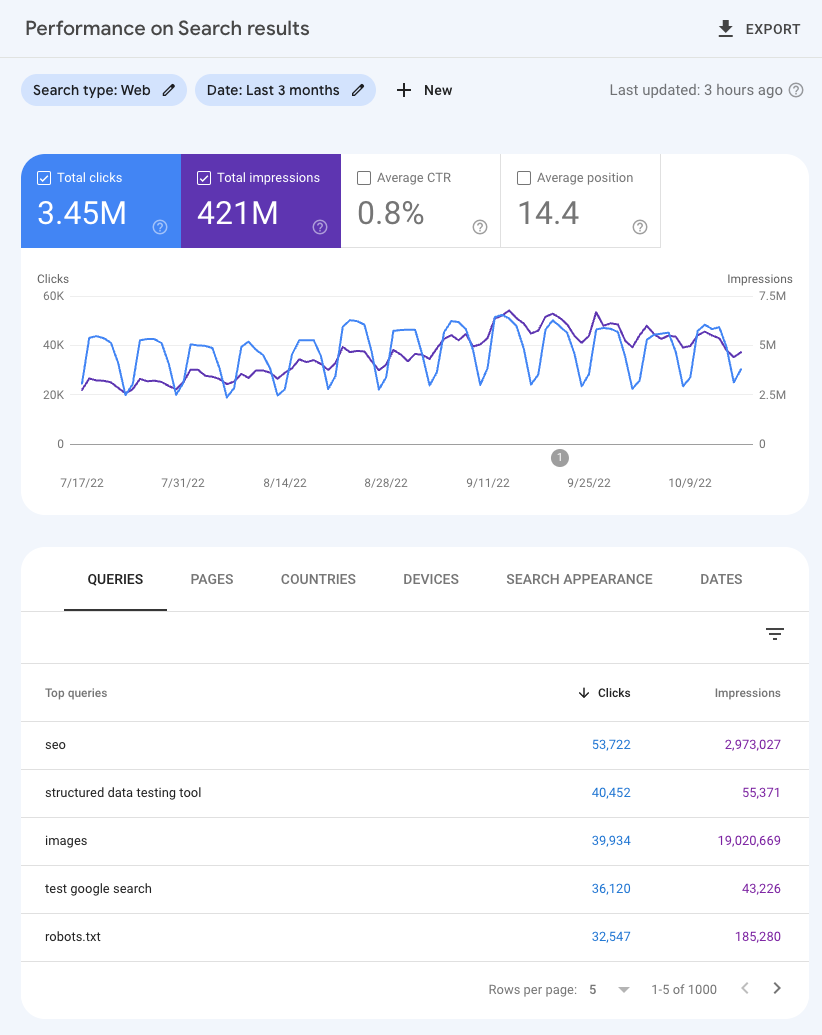
Google Search Console is the single most important SEO tool for any Ghost blog. It shows you exactly how Google sees your site — which pages are indexed, which queries drive traffic, and which technical issues need fixing.
Key features for Ghost users:
- Monitor which pages Google has indexed (and which it hasn't)
- See your actual search queries, impressions, clicks, and average position
- Submit your Ghost sitemap at
/sitemap.xml - Get alerts for crawl errors, mobile usability issues, and Core Web Vitals problems
- Request indexing for new or updated posts
How to connect: Go to Google Search Console, add your Ghost site URL, and verify ownership using Ghost's code injection (Settings → Code injection → Site header) with the HTML meta tag method.
My experience: I check Search Console weekly for seocontentai.com. The "Performance" report is where I find content opportunities — queries where I'm ranking positions 5-15 are prime candidates for content updates that can push into the top 3.
Google Analytics (GA4)
| Detail | Info |
|---|---|
| Best For | Traffic analysis, user behavior, conversion tracking |
| Pricing | Free |
| Ghost Integration | Native — add tracking code via code injection |
| Rating | Essential |
Google Analytics 4 tracks what happens after someone lands on your Ghost blog — how long they stay, which pages they visit, where they came from, and whether they convert (subscribe, purchase a membership, etc.).
Setup for Ghost: Copy your GA4 measurement ID (starts with G-), then paste the gtag.js snippet into Ghost's code injection under Settings → Code injection → Site header.
Note: Google Universal Analytics (UA) was sunset in July 2023. If you're still seeing UA references in old guides, ignore them — GA4 is the only version available now.
Google Lighthouse
| Detail | Info |
|---|---|
| Best For | Core Web Vitals, performance auditing, accessibility |
| Pricing | Free (built into Chrome DevTools) |
| Ghost Integration | General — works with any website |
| Rating | Highly recommended |
Google Lighthouse measures your site's performance, accessibility, SEO, and best practices. Ghost blogs typically score very well (90+ on performance) since Ghost is built for speed — but Lighthouse helps you catch issues with images, fonts, or third-party scripts that slow things down.
How to use: Open Chrome DevTools (F12), click the "Lighthouse" tab, and run an audit. Focus on the "Performance" and "SEO" scores.
What Are the Best Paid SEO Tools for Ghost Blogs?
Once you've maxed out the free tools, these paid platforms provide the competitive intelligence Ghost can't generate on its own.
Ahrefs
| Detail | Info |
|---|---|
| Best For | Backlink analysis, keyword research, competitor analysis |
| Pricing | Starter: $29/mo | Lite: $108/mo | Standard: $208/mo | Advanced: $374/mo |
| Ghost Integration | General — works with any website URL |
| Rating | 4.6/5 (G2) — Best for backlink analysis |
| Free Option | Ahrefs Webmaster Tools (limited features) |
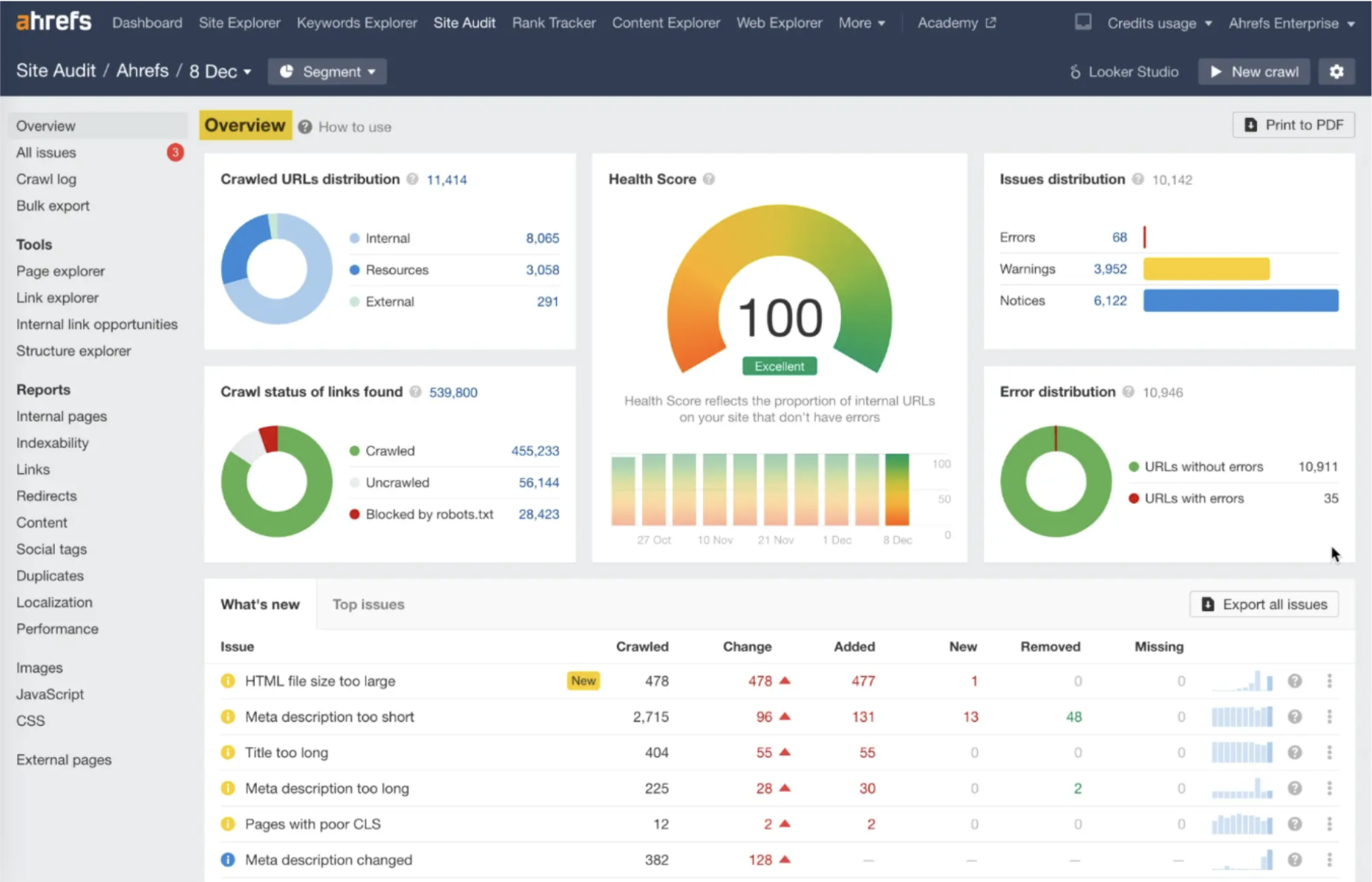
Ahrefs has the largest backlink index in the industry with 28.7 billion keywords across 217 locations. For Ghost bloggers, it's particularly useful because Ghost doesn't have any built-in backlink tracking.
Why Ghost bloggers should care:
- Site Explorer — see who links to your Ghost blog, and which pages attract the most backlinks
- Keywords Explorer — find keywords with traffic potential and low competition for your next Ghost post
- Content Explorer — discover what content performs best in your niche (great for content planning)
- Site Audit — find technical SEO issues your Ghost theme might be causing
- Rank Tracker — monitor your Ghost blog's keyword positions over time
Pro tip: Use Ahrefs Webmaster Tools (free) for basic site audits and backlink data before committing to a paid plan.
Choose Ahrefs if: You're focused on link building, want the deepest backlink data, or need competitor backlink analysis.
Semrush
| Detail | Info |
|---|---|
| Best For | All-in-one SEO platform, content marketing, PPC research |
| Pricing | Pro: $139.95/mo | Guru: $249.95/mo | Business: $499.95/mo (17% off annually) |
| Ghost Integration | General — works with any website URL |
| Rating | 4.5/5 (G2) — Best all-in-one platform |
| Free Option | Limited free account (10 queries/day) |
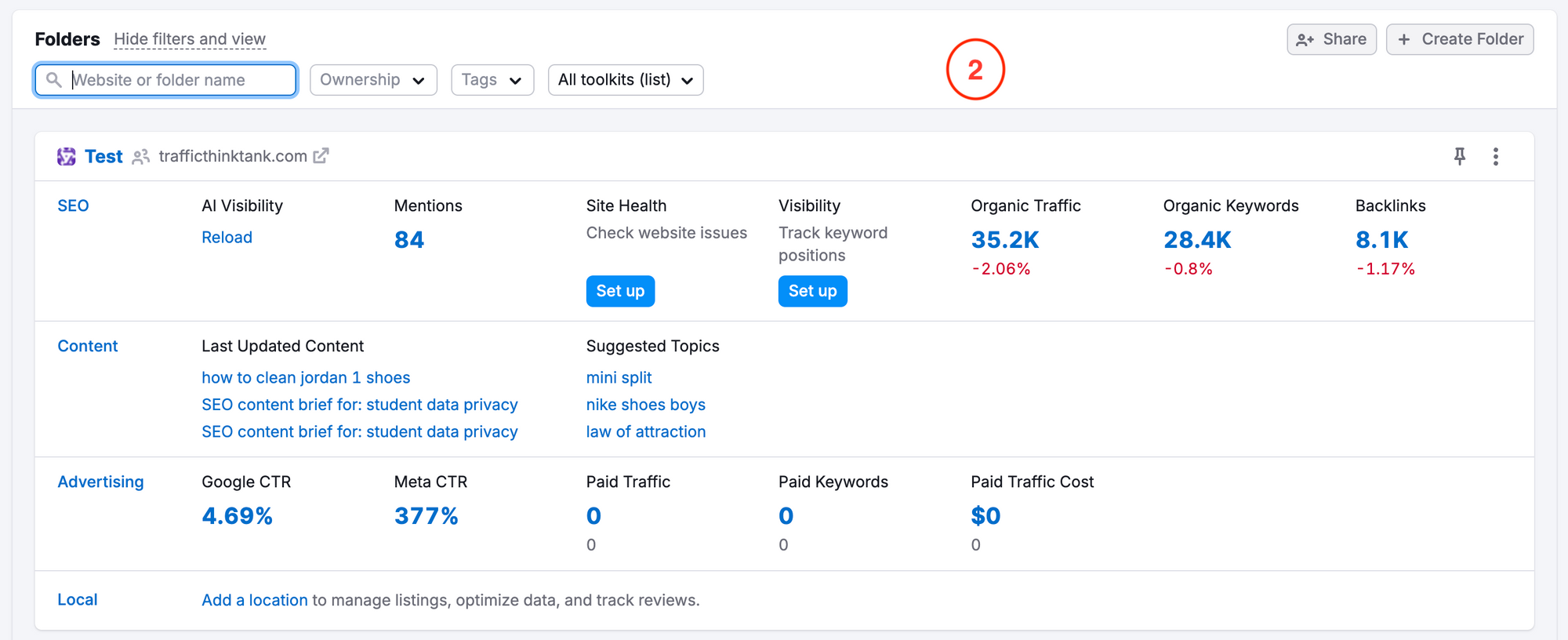
Semrush is the widest SEO platform available — keyword research, site audits, rank tracking, content optimization, and competitive intelligence all in one place. It tracks 27.3 billion keywords and has a 43 trillion backlink database.
Why Ghost bloggers should care:
- Keyword Magic Tool — find long-tail keywords with search intent analysis (informational, transactional, navigational)
- Content Marketing Platform (Guru plan) — plan content based on SEO data, audit existing posts
- Position Tracking — track your Ghost blog's rankings daily for target keywords
- On-Page SEO Checker — get specific recommendations for improving individual Ghost posts
- Backlink Gap — find sites linking to competitors but not to your Ghost blog
Choose Semrush if: You want one tool that covers everything — keyword research, rank tracking, content planning, and competitive analysis in a single dashboard.
Screaming Frog
| Detail | Info |
|---|---|
| Best For | Technical SEO audits, crawl analysis |
| Pricing | Free (up to 500 URLs) | Paid: $259/year |
| Ghost Integration | General — crawls any website |
| Rating | Industry standard for technical SEO |
Screaming Frog SEO Spider crawls your Ghost site like a search engine would, finding broken links, duplicate content, missing meta tags, redirect chains, and other technical issues. The free version crawls up to 500 URLs — more than enough for most Ghost blogs.
Choose Screaming Frog if: You want to audit your Ghost blog's technical health — broken links, missing alt text, redirect issues, and crawl errors.
What Are the Best AI SEO Tools That Work With Ghost?
AI-powered SEO tools have matured significantly since 2024. Several now integrate directly with Ghost CMS, eliminating the copy-paste workflow.
SEObot
| Detail | Info |
|---|---|
| Best For | Automated AI content + internal linking for Ghost |
| Pricing | Starting at $49/month |
| Ghost Integration | Native — direct Ghost CMS integration |
| Standout Feature | Smart internal linking that scans your content automatically |
SEObot is one of the few AI SEO tools with a native Ghost integration. It automates keyword research, generates AI content (up to 4,000 words in 50 languages), and — its best feature — automatically creates contextual internal links across your Ghost posts.
Choose SEObot if: You want to automate content creation and internal linking directly within your Ghost blog without manual work.
SEOmatic
| Detail | Info |
|---|---|
| Best For | Programmatic SEO, bulk page generation |
| Pricing | Starting at $49/month |
| Ghost Integration | Native — syncs pages directly to Ghost |
| Standout Feature | Turns templates + data into hundreds of SEO pages automatically |
SEOmatic is built for programmatic SEO — if you have a dataset (product lists, location pages, tool comparisons), it can generate unique, SEO-optimized pages and publish them directly to Ghost. It supports drip publishing to avoid triggering Google's spam filters.
Choose SEOmatic if: You need to create hundreds of targeted pages from structured data (e.g., "[Tool] alternatives", "[City] + [Service]" pages).
Junia AI
| Detail | Info |
|---|---|
| Best For | AI-powered blog writing with brand voice |
| Pricing | Free (1 article/mo) | Creator: $19/mo | Pro: $39-$299/mo |
| Ghost Integration | Yes — publishing integration available |
| Standout Feature | Custom-trained AI that maintains brand voice consistency |
Junia AI generates SEO-optimized content with real-time SEO suggestions and maintains your brand's writing voice across articles. It includes keyword research, AI image generation, and internal linking automation.
Choose Junia AI if: You want an AI writing assistant that learns your brand voice and provides SEO optimization as you write.
How Do These Ghost SEO Tools Compare?
Here's a side-by-side comparison of all the tools covered in this guide:
| Tool | Category | Pricing | Ghost Integration | Best For |
|---|---|---|---|---|
| Google Search Console | Search Analytics | Free | Native | Every Ghost blog (essential) |
| Google Analytics (GA4) | Traffic Analytics | Free | Native | Traffic and behavior tracking |
| Google Lighthouse | Technical SEO | Free | General | Core Web Vitals auditing |
| Ahrefs | All-in-One SEO | $29-$374/mo | General | Backlink analysis, keyword research |
| Semrush | All-in-One SEO | $139.95-$499.95/mo | General | All-in-one platform with content tools |
| Screaming Frog | Technical SEO | Free / $259/yr | General | Site audits, broken link detection |
| SEObot | AI Content + SEO | $49/mo+ | Native | AI content + auto internal linking |
| SEOmatic | Programmatic SEO | $49/mo+ | Native | Bulk page generation from data |
| Junia AI | AI Writing | Free-$299/mo | Yes | Brand voice AI content |
Which SEO Tool Should You Choose for Your Ghost Blog?
Your choice depends on your budget, blog size, and where you need the most help. Here's my recommendation based on experience running multiple Ghost-powered sites:
If you're just starting out (free):
- Google Search Console + Google Analytics + Lighthouse
- These three free tools cover 80% of what most Ghost blogs need
If you're growing and have budget ($29-$150/month):
- Add Ahrefs Starter ($29/mo) for keyword research and backlink tracking
- Or Semrush Pro ($139.95/mo) if you want content planning tools included
If you want to scale content with AI ($49-$100/month):
- SEObot ($49/mo) for automated content + internal linking directly in Ghost
- Or SEOmatic ($49/mo) for programmatic page generation
If you run a content-heavy Ghost publication ($200+/month):
- Semrush Guru ($249.95/mo) for the content marketing platform
- Plus Screaming Frog ($259/yr) for quarterly technical audits
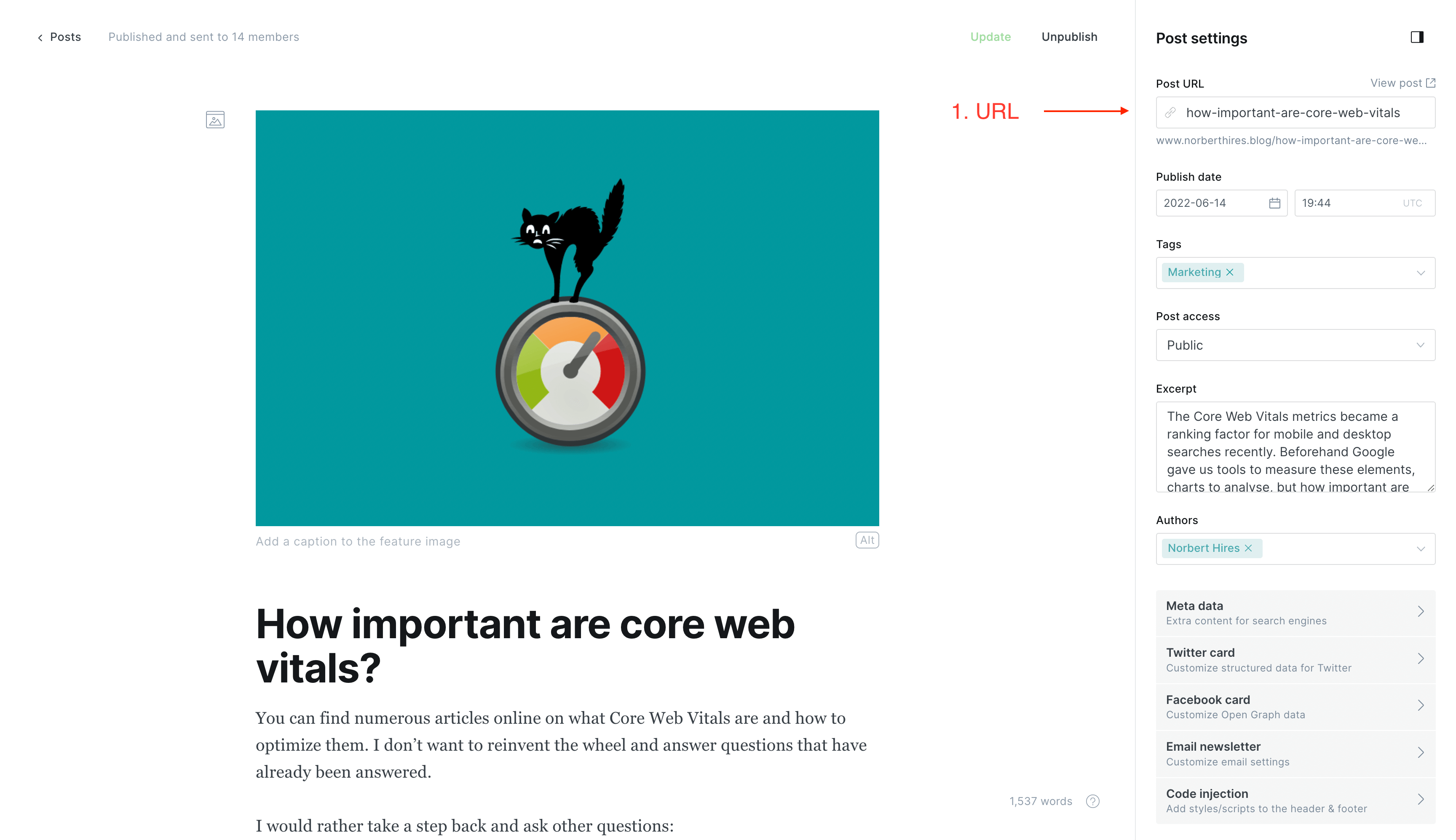
How Do You Set Up SEO on a Ghost Blog? (Quick Start)
If you're new to Ghost SEO, here's the minimum setup I recommend:
- Verify your site in Google Search Console — Add your domain, verify via DNS or HTML tag in Ghost's code injection
- Submit your sitemap — In Search Console, submit
https://yourblog.com/sitemap.xml - Install Google Analytics — Add the GA4 tracking snippet to Ghost's code injection (Settings → Code injection → Site header)
- Set meta titles and descriptions — For every post, click the post settings gear icon and fill in the "Meta data" fields
- Write descriptive alt text — Every image in your Ghost posts should have alt text that describes what the image shows
- Set up redirects — If you change URLs, add 301 redirects in Ghost's
redirects.jsonfile - Run a Lighthouse audit — Check your site's Core Web Vitals score and fix any performance issues
These seven steps cost nothing and cover the foundations. Add paid tools only when you've outgrown what the free tools provide.
Frequently Asked Questions
Does Ghost have an SEO plugin like Yoast?
No — and it doesn't need one. Ghost has SEO features built into its core: meta titles, meta descriptions, canonical URLs, XML sitemaps, structured data, and Open Graph tags. WordPress needs Yoast because it wasn't designed with SEO in mind. Ghost was. The only thing Ghost lacks compared to Yoast is a content optimization score, which you can get from Semrush or Ahrefs.
Is Ghost good for SEO compared to WordPress?
Ghost is excellent for SEO. It consistently produces faster page load times (better Core Web Vitals), generates cleaner HTML output, includes structured data automatically, and doesn't require SEO plugins that can conflict with each other. According to Ghost's official SEO documentation, Ghost sites regularly achieve 100/100 Lighthouse performance scores out of the box.
Can I use Ahrefs and Semrush with Ghost?
Yes. Both Ahrefs and Semrush work with any website — they analyze your site by URL, not by CMS. You verify site ownership through DNS, HTML file upload, or Google Search Console integration. There's no special setup needed for Ghost.
What's the best free SEO tool for Ghost?
Google Search Console. It's free, shows you exactly how Google sees your Ghost blog, tracks your search performance, and alerts you to technical issues. Every Ghost blog should have Search Console connected from day one.
How do I add structured data to Ghost?
Ghost automatically generates JSON-LD structured data for articles, authors, and your site via the {{ghost_head}} helper. For custom schema types (FAQ, HowTo, Product), you can add JSON-LD manually through Ghost's code injection on individual posts or via your theme's template files. According to Bright Themes' schema guide, you can validate your markup using Google's Rich Results Test.